

A look around Game Mode
Everything in Quick Access
Press … for Quick Access, then the plug icon: Kettle's tools sit right next to Steam's own. The same tour opens on a new device, in Welcome.
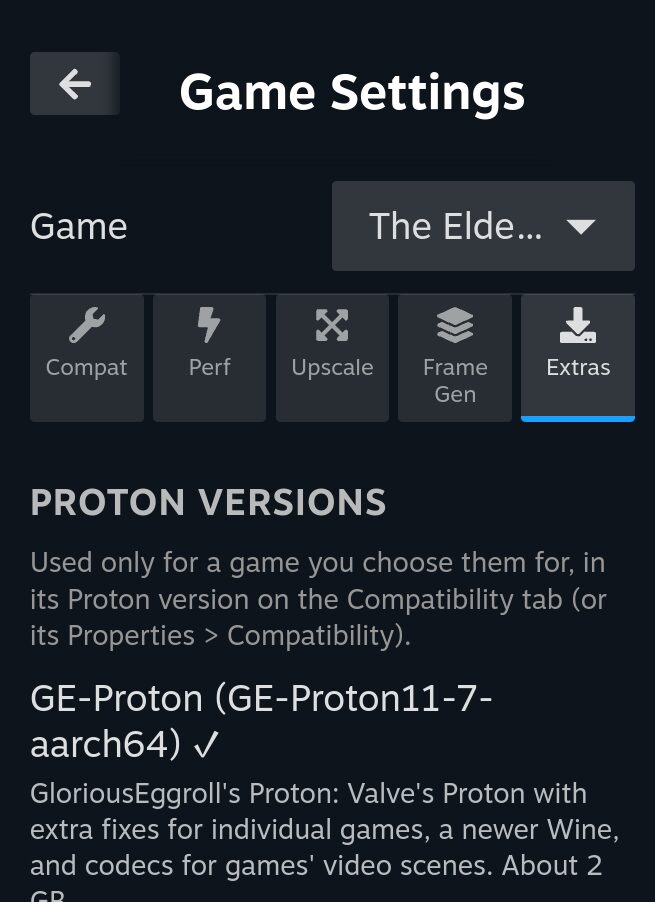
Game Settings
Every game, set up its own way
A tab for each part of a game. It opens on the game that's running, sets up any installed game before you start it, and All games holds the defaults. Everything is off until you turn it on.
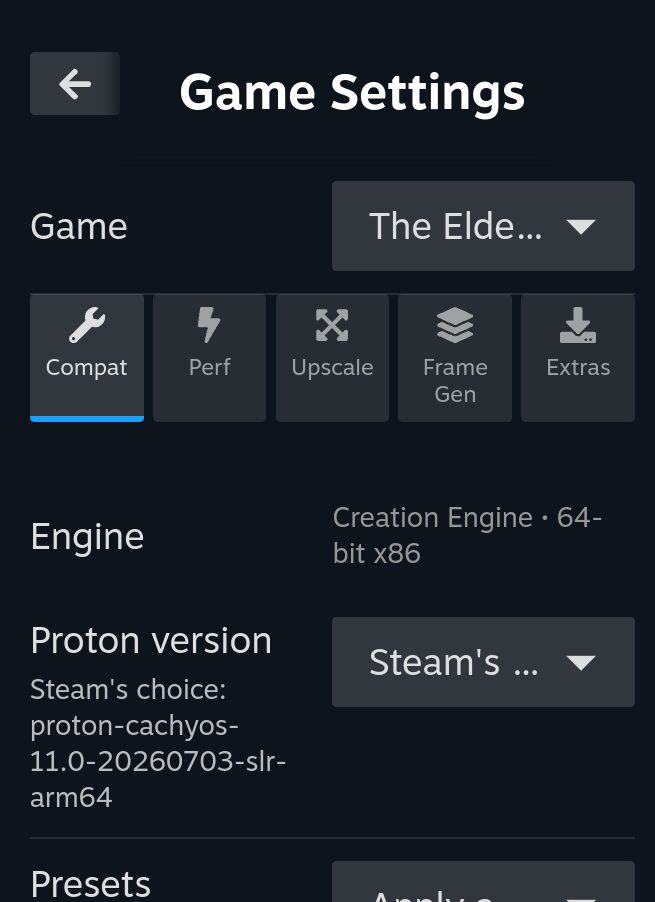
Compat
How a Windows game runs: the Proton version and FEX, DXVK, vkd3d and Turnip options, presets for the engine it's built on, and known good settings other players shared in Kettle's game database.
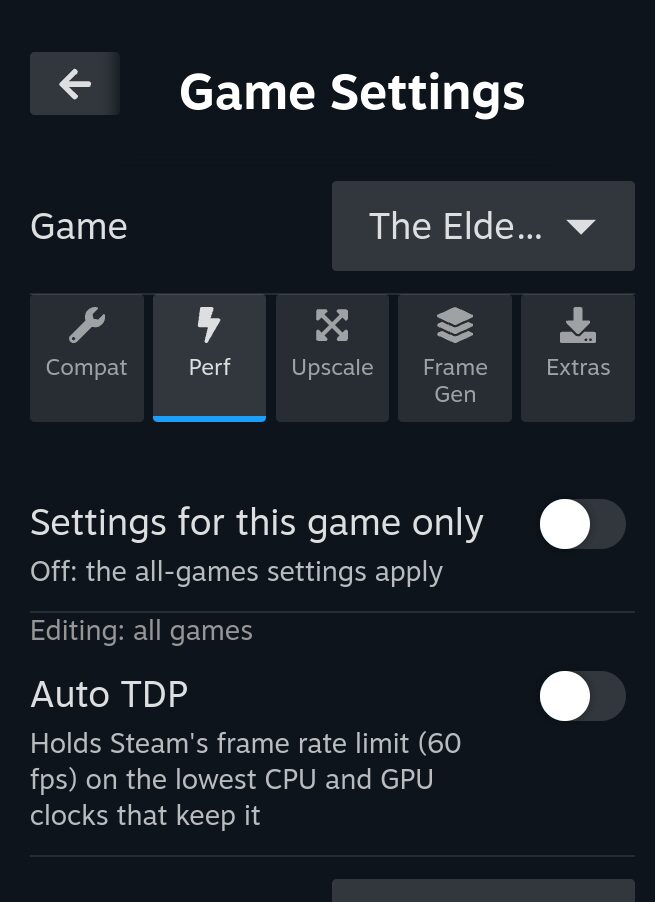
Perf
A fan curve or fixed speed, CPU core and clock limits and the refresh rate, for one game or all. Auto TDP holds Steam's frame limit on the lowest clocks that keep it.
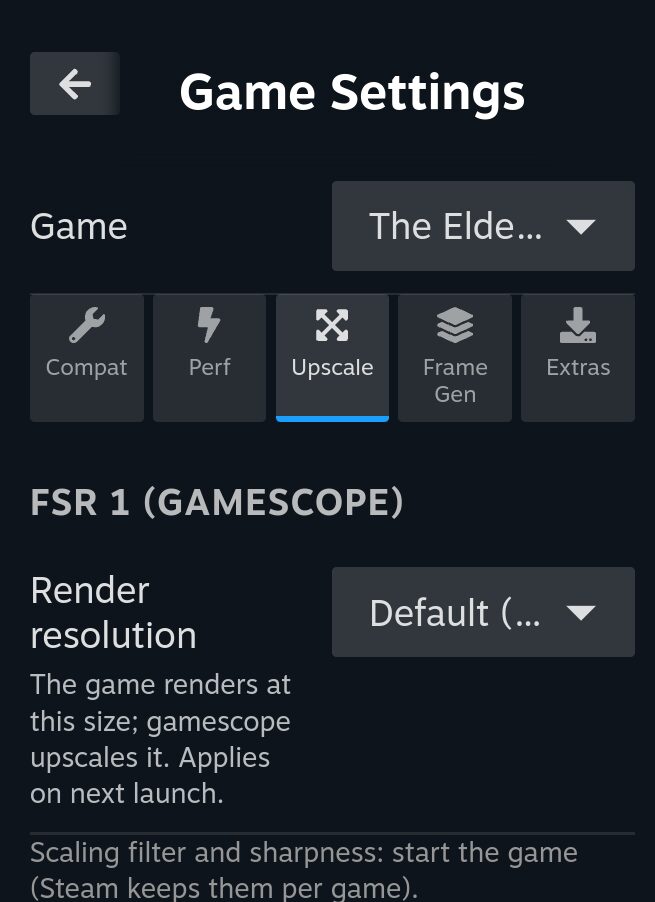
Upscale
FSR 1 through gamescope for any game, or Snapdragon GSR 2, Arm ASR and FSR 2.2 in place of a game's DLSS, FSR 2+ or XeSS, through OptiScaler.
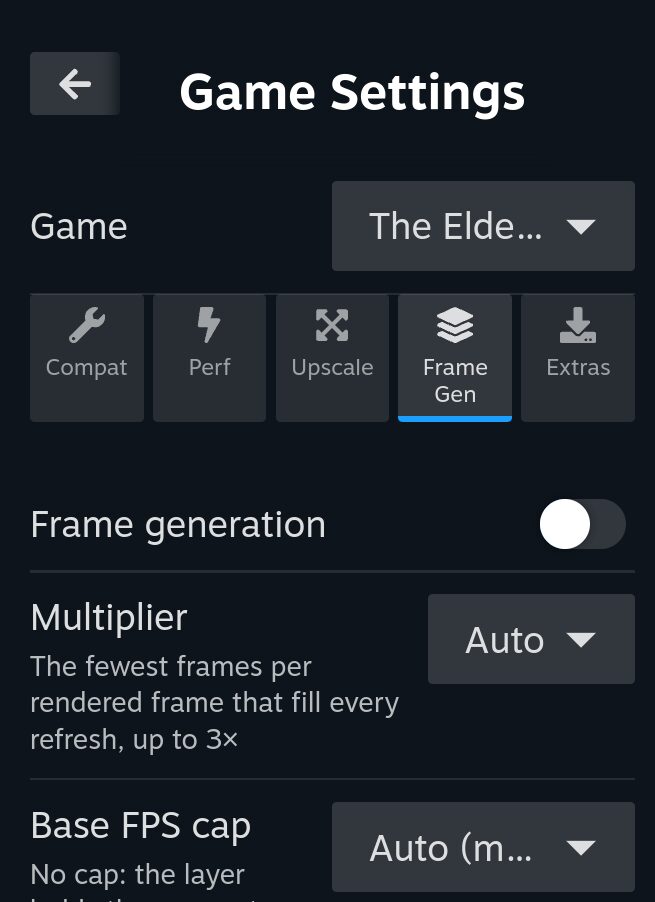
Frame Gen
Kettle's own frame generation: twice the frames on screen, over a base frame rate you pick per game and can change while it runs.
Extras
GE-Proton, Proton-CachyOS and AMD FSR 3.1, each downloaded from its own project and checked before it's installed.
Game Stores
Your other libraries, in Steam
Sign in once and your games install, update and land in your Steam library with Proton, sharing sign-ins and installs with Heroic on the desktop.
- Epic Games
- GOG
- Amazon Games
- Battle.net
- Flathub
- Android
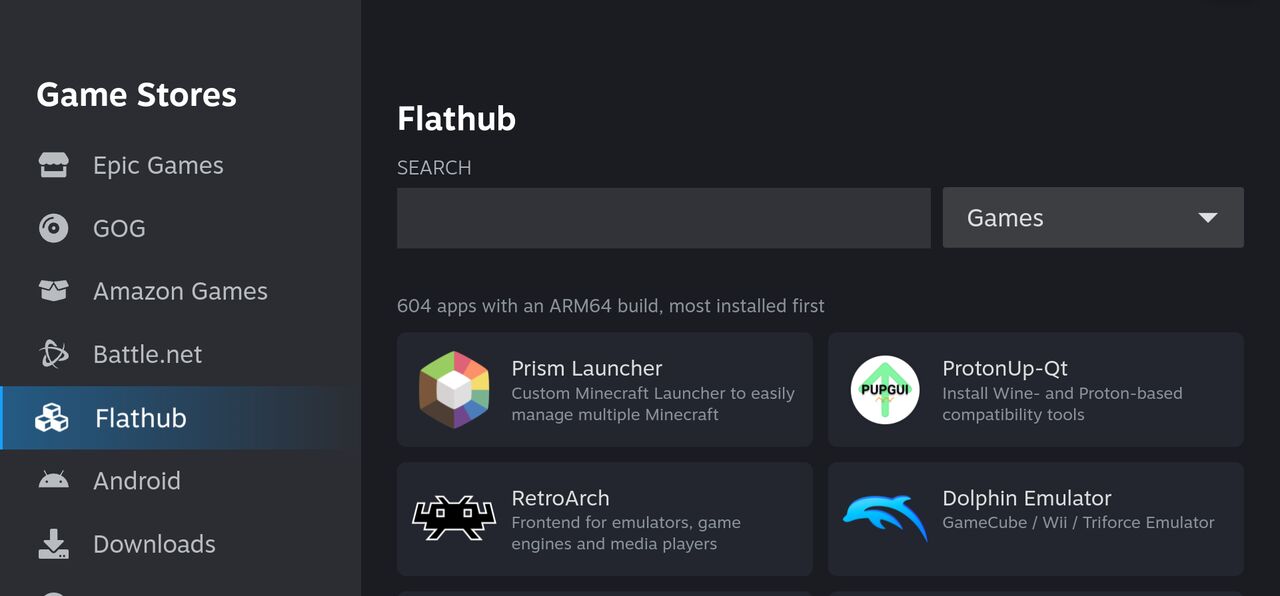
Flathub's ARM64 apps by category, emulators and streaming apps among them; Android games from F-Droid or an APK file.
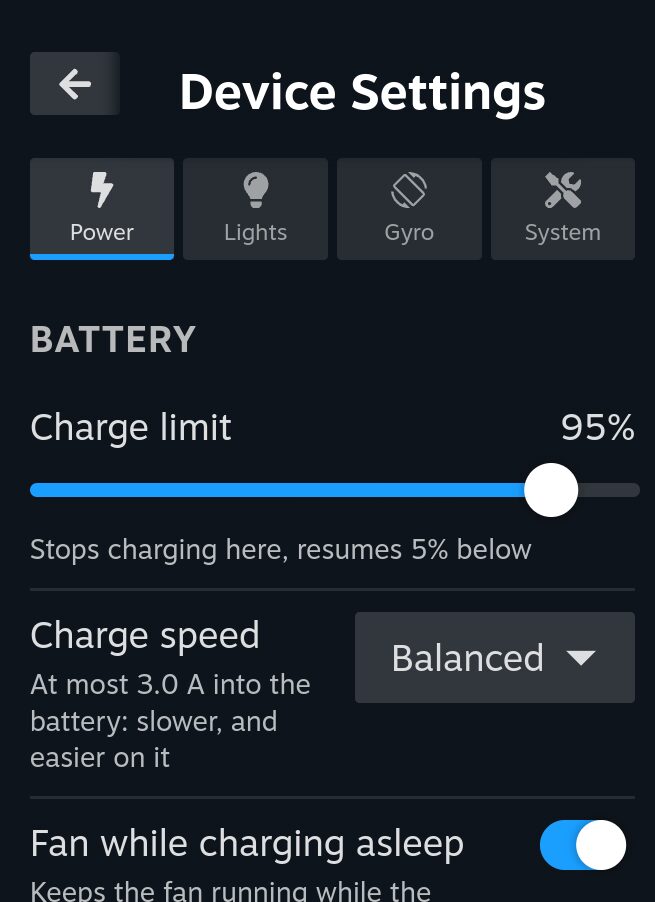
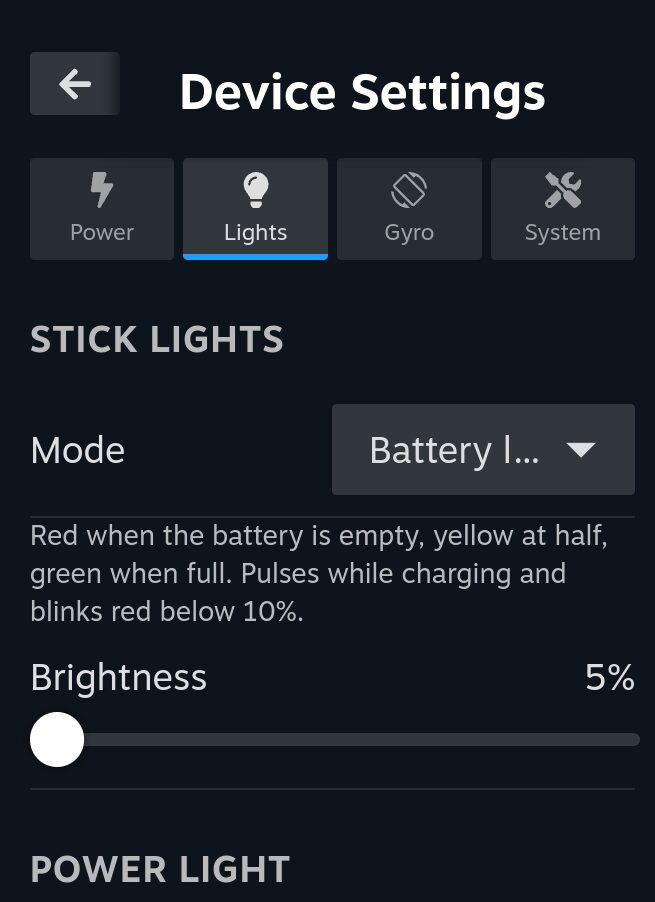
Device Settings
The device, looked after
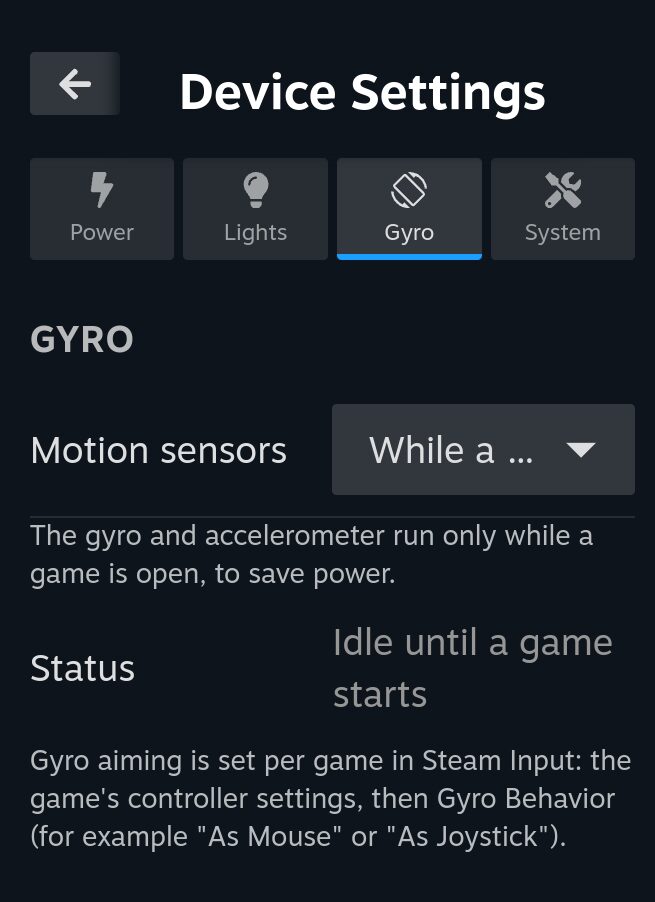
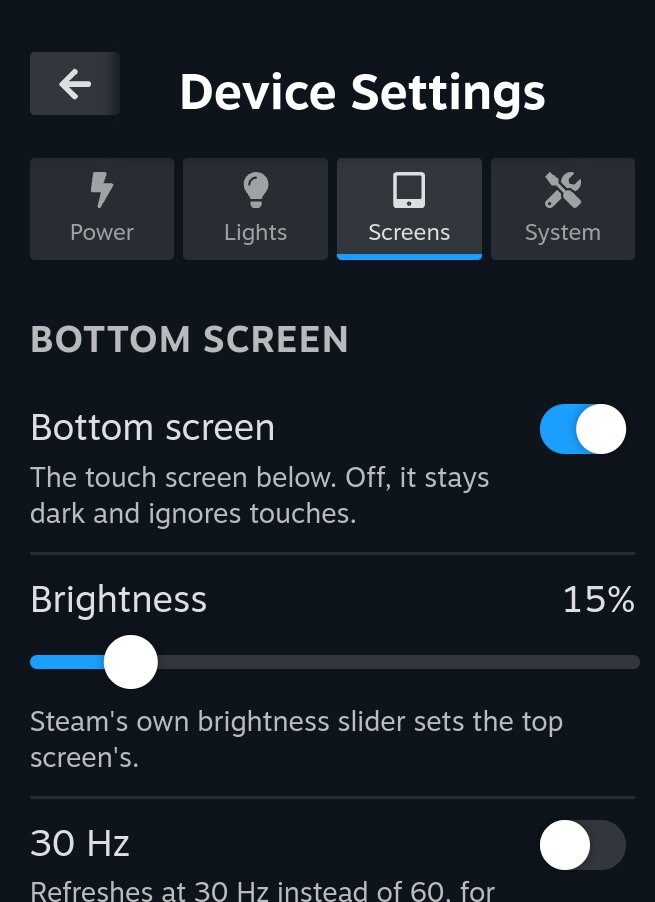
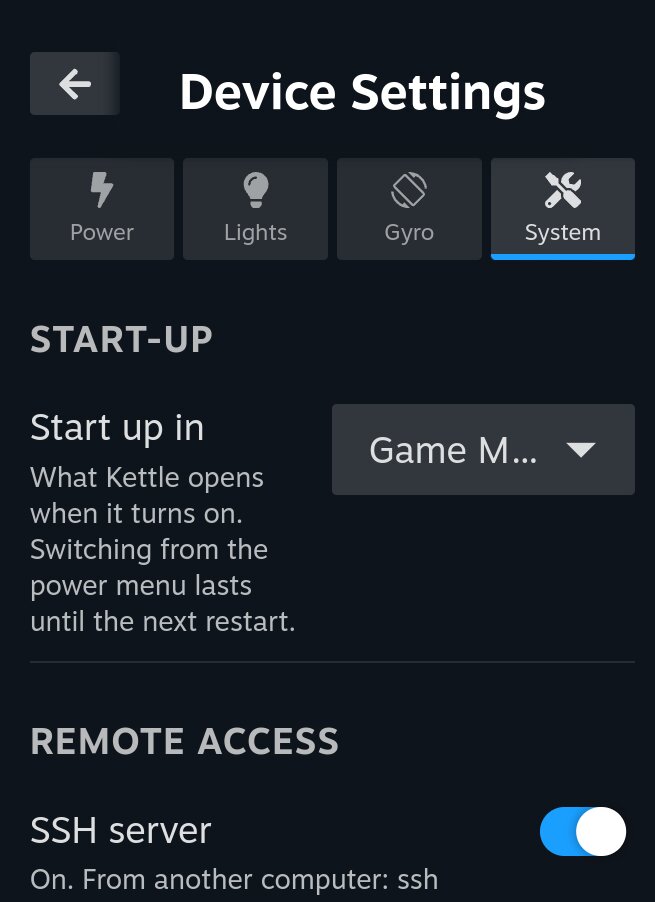
The device's own settings, a tab each. A tab for something your device doesn't have, motion sensors or a second screen, isn't shown.
Power
A charge limit that keeps the battery from sitting at 100%, the charge speed, and the screen's refresh rate, from 50 to 165 Hz on the Portal.
Lights
The rings around the sticks, and the Portal's power button light: a color, the battery level, breathe or rainbow. Dark while the device sleeps.
Gyro
Motion controls for Steam Input, on while a game runs, idle otherwise to save power.
Screens
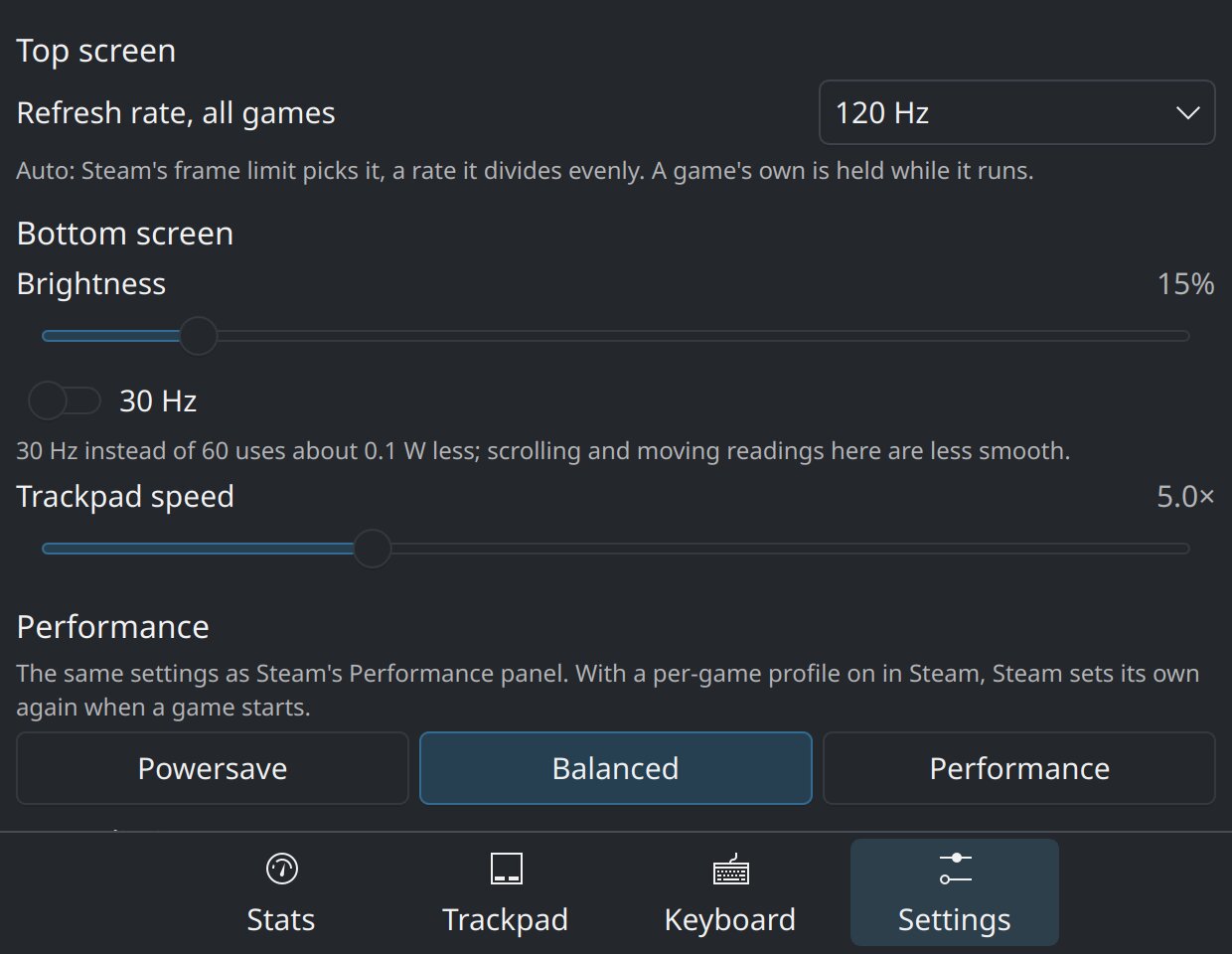
The Thor's bottom touch screen: on or off (off, it stays dark and ignores touches), its own brightness, and 30 Hz instead of 60 for a little less power.
System
Whether Kettle starts in Game Mode or the desktop, the SSH server, a reset of settings or everything, and bootloader updates.
AYN Thor
A second screen that earns its place
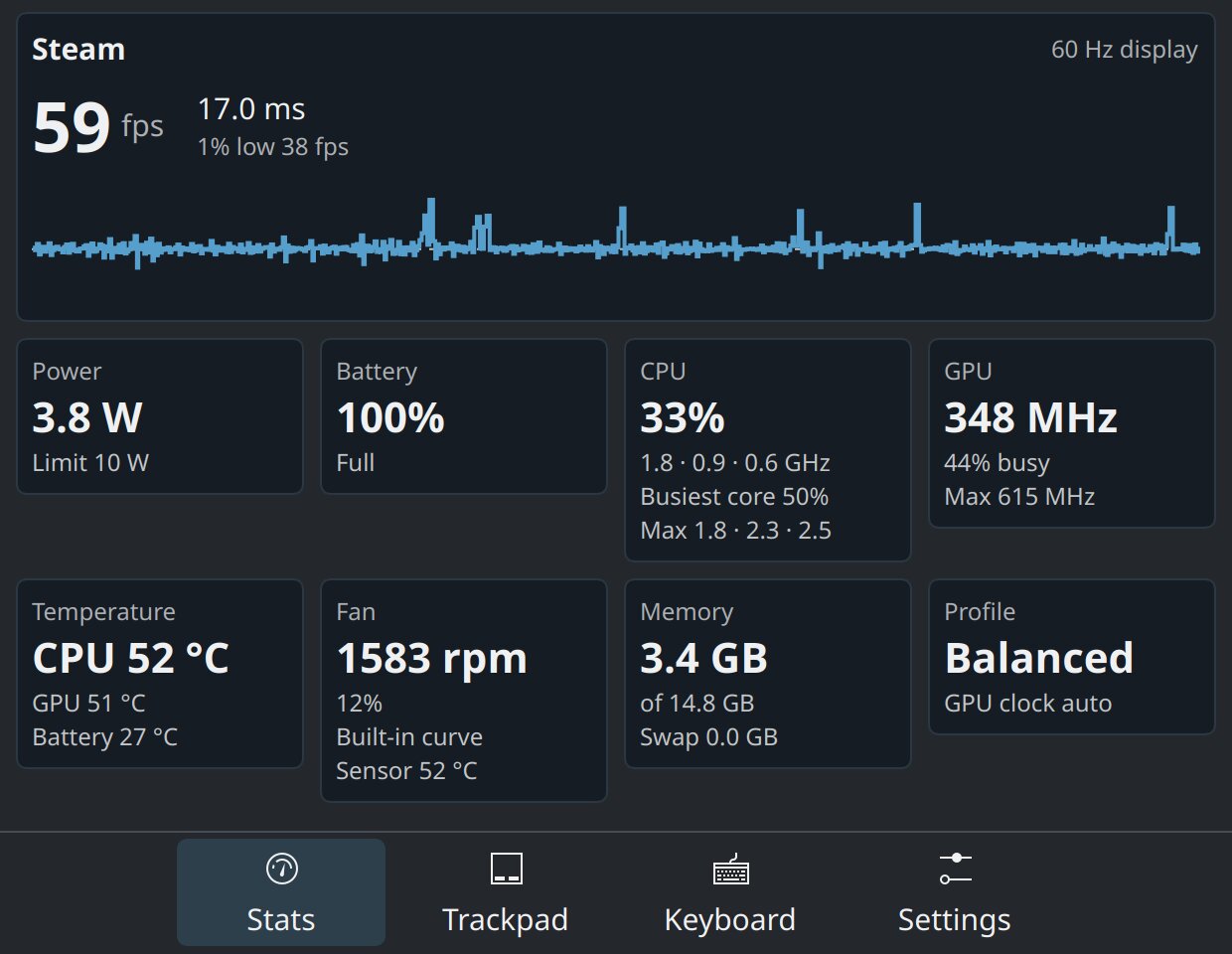
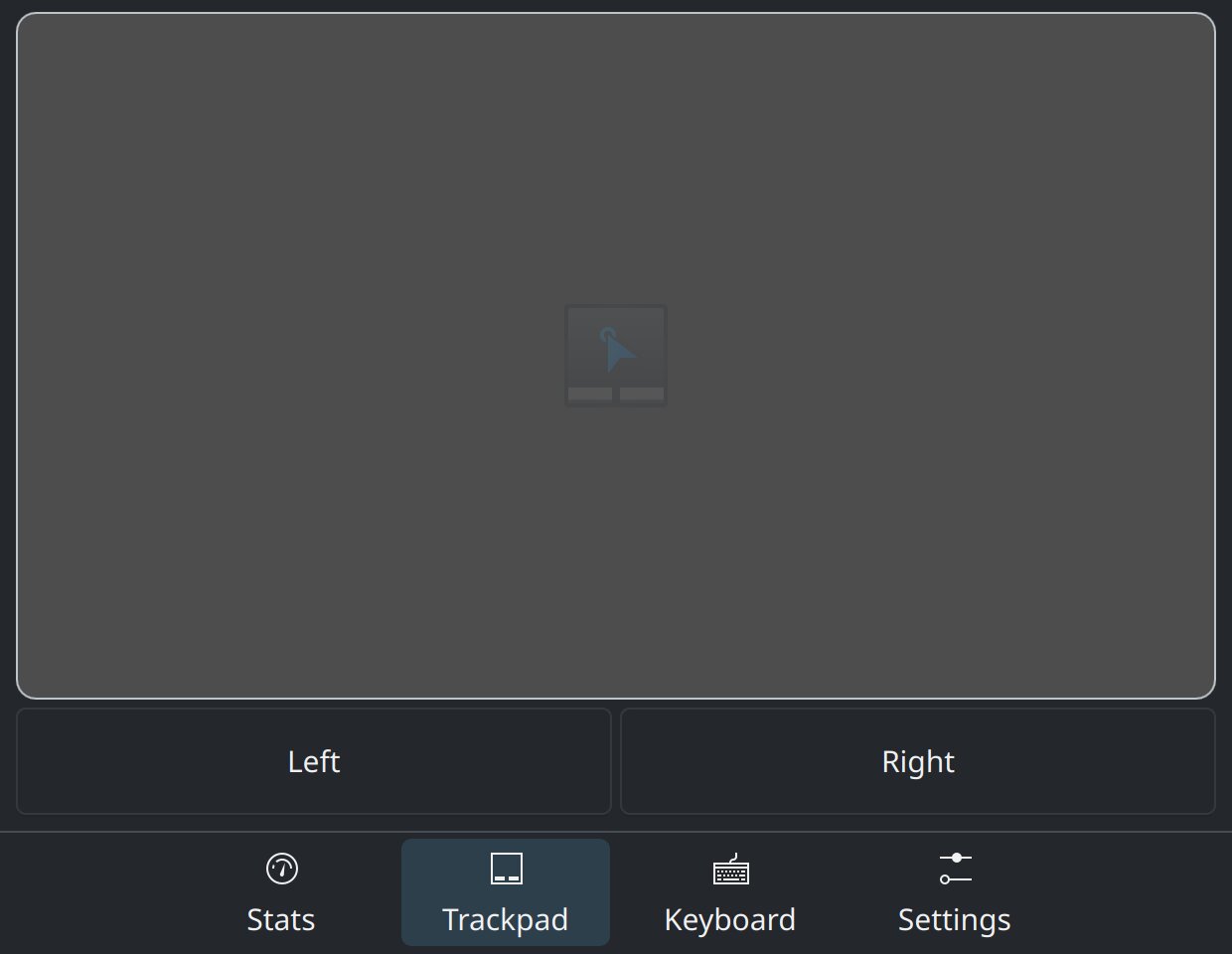
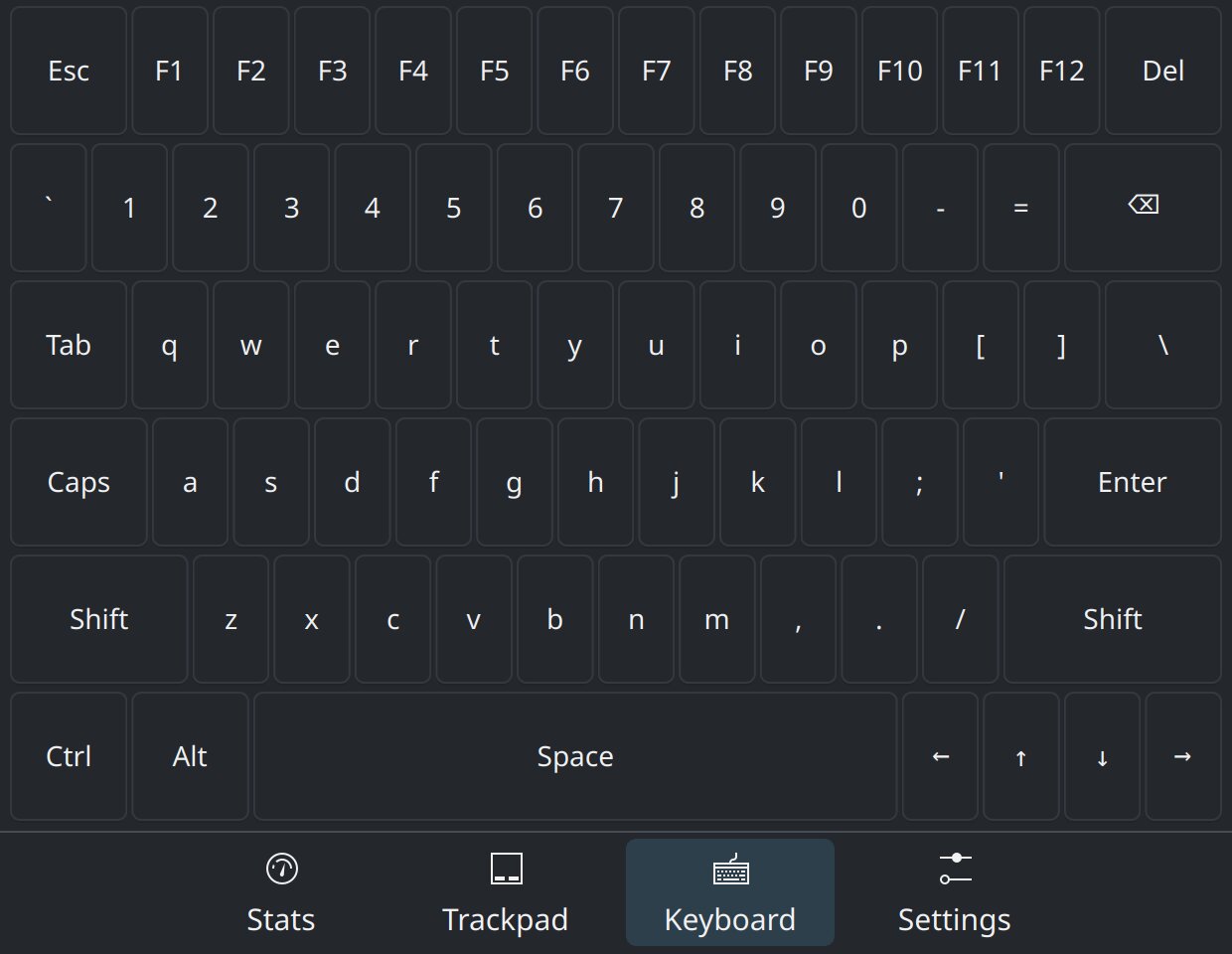
On the Thor, the bottom screen runs Kettle's Performance app next to Game Mode: live readings while you play, a trackpad and a keyboard for the top screen, and the device's settings within reach.
Stats
The game's frame rate, frame times and 1% low, with a graph of the last ten seconds; power draw against the TDP limit, battery, CPU and GPU clocks and load, temperatures, fan, memory and the performance profile. No overlay over the game.
Trackpad
The bottom screen as a mouse for the top one, over Steam and the game: one finger moves the pointer, a tap clicks, two fingers scroll or right click, and Left and Right buttons stay down while touched.
Keyboard
A full PC keyboard, Esc and F1–F12 to the arrow keys. Keys stay down while touched, so they work in games, and Shift, Ctrl and Alt latch for the next key.
Settings
Steam's performance profile, TDP and GPU clock, Auto TDP, fan and CPU for the running game or all games, both screens' refresh rates, the bottom screen's brightness, and charging. The same settings as Quick Access, so a change in one shows in the other.
Diagnostics
Everything about the device
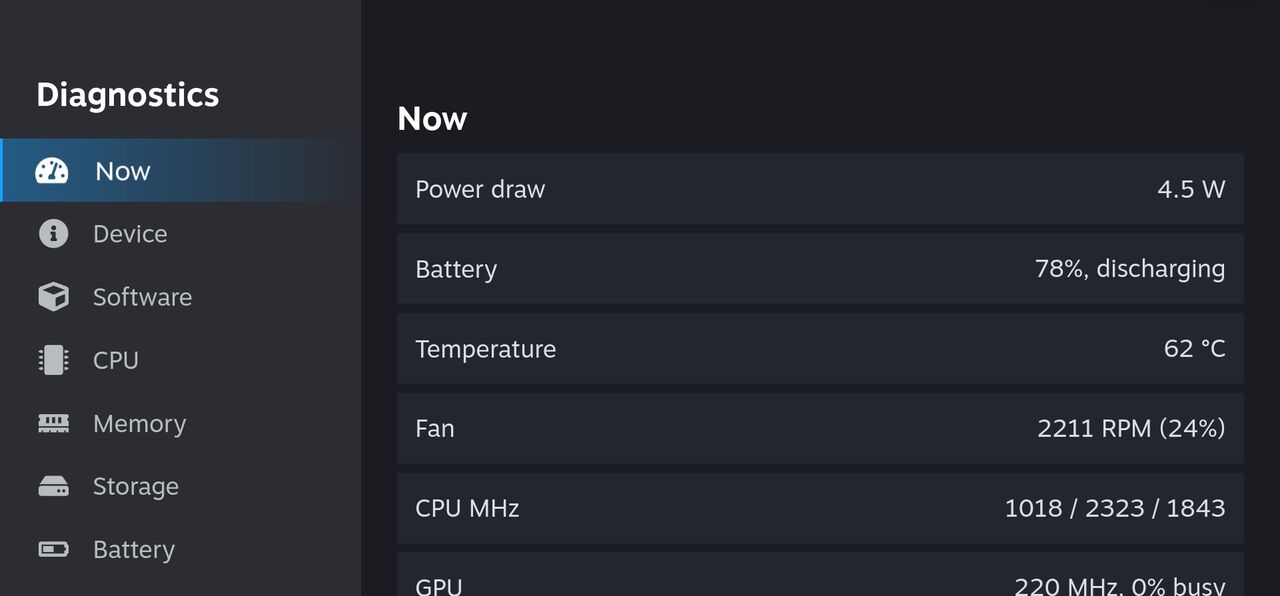
Power draw, temperatures and clocks, live, and the chip, battery health, storage and network, from the bottom of Device Settings.
Also in Kettle
Built for handhelds
Atomic A/B updates
Signed images installed from Steam's own Check for updates, a read-only root, and automatic fallback if an update fails to boot.
Mainline kernel
Linux 7.2 with a pinned patch stack for the panel, gamepad, LEDs, haptics, microSD, Wi-Fi and suspend.
The desktop in Game Mode
Desktop in Steam's library opens the Plasma desktop inside Game Mode, with no switch to Desktop Mode.
Games outside Steam
ARM64EC Wine with FEX, DXVK and vkd3d-proton, plus Lutris and Heroic built for arm64.
Native ARM64 games
.NET games such as Terraria and Stardew Valley run their own code on ARM64 instead of under FEX: one switch in Game Settings.
Android games
Android games in Steam and Game Mode, through Lepton, the Android layer Valve made for the Steam Frame.
Crash reports
A report for every game or system crash, kept on the device. Share one with your details taken out, and report it from your phone.
Two screens on the Thor
Steam on the top screen and a touch shell on the bottom one in Game Mode, and both screens in the desktop.
Game database
Settings other players found working, per device, applied in one step from Game Settings: browse them.
Download
Before you install: back up your data, and know that installing is at your own risk: it can erase data, affect your warranty, or leave a device that doesn't start until it's restored. Disclaimer.
Loading the latest releases…
Each device has its own image: pick the one for yours. Write it to a 32 GB or larger microSD card. Android on internal storage is left alone. The Portal and the Thor start it through the U-Boot AYN ships them with, once it is set as the default boot: follow the install guide. The Retroid Pocket 5 starts it with a U-Boot flashed from a computer: follow the RP5 install guide. The Retroid Pocket Nova and the KONKR Pocket FIT Elite start it through ROCKNIX's ABL in place of their stock bootloader (first public builds): see the Nova and Pocket FIT Elite notes. Once installed, updates come through Steam's own Check for updates.
Latest issues
All issues →- Loading issues…
Report a problem (attach dmesg and journalctl -b).
Community
Kettle Linux on Discord
Help with installing, game compatibility, test builds and release news.